


RESET Collection
4.1216.00 Reviews
App Specs
- Version
- 1.1.43
- Updated On
- License
- $4.99
- Downloads
- 10,000+
- Developer
- Retro Lounge Lab
- Categories
- Arcade
- Platform
- Android
Screenshots

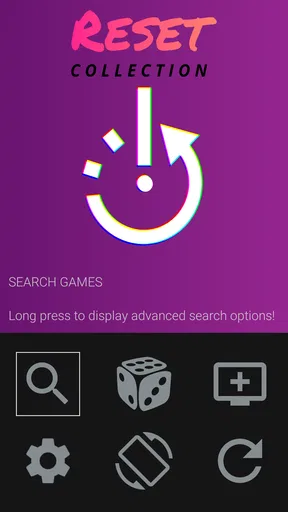
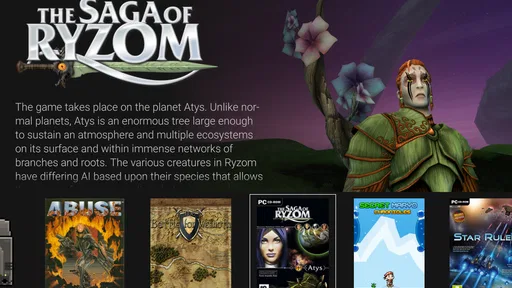
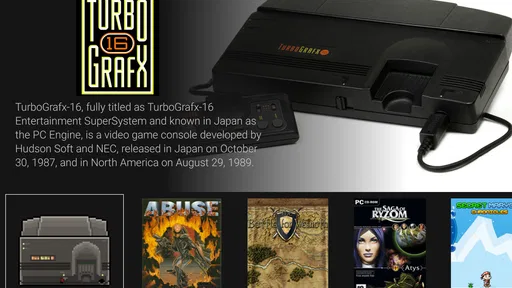
 Analysis by AppCompare
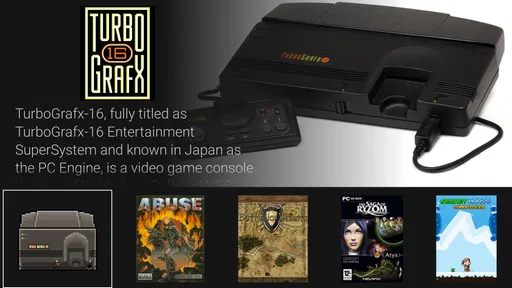
RESET Collection is the kind of Android arcade game companion I would recommend to someone who already enjoys keeping retro games organized and wants a cleaner way to start them. It is not presented as a new game with its own campaign or a replacement for every emulator. Instead, it works as an emulation frontend for games in a RESET collection, putting the focus on launching and browsing an existing library. That distinction matters, because your experience depends heavily on how well your own retro setup is arranged.
I approached it as a practical tool rather than judging it like a traditional arcade release. The appeal is immediate for anyone tired of jumping between separate emulator apps, folders, and shortcuts. The question is not simply whether it can open a game, but whether it makes the whole routine feel quicker, calmer, and more dependable. My impression is positive, although the value is much clearer for an organized retro player than for someone looking for a self-contained game to download and play immediately.
How RESET Collection feels in everyday use
I find RESET Collection most useful when I treat it as a dedicated doorway into a retro library, not as another game to browse casually. In everyday use, that means the value comes from making the choice of what to play feel less like file management and more like a familiar routine. The next section looks at how I would make that routine work for a first-time setup.
A focused starting point for a retro library
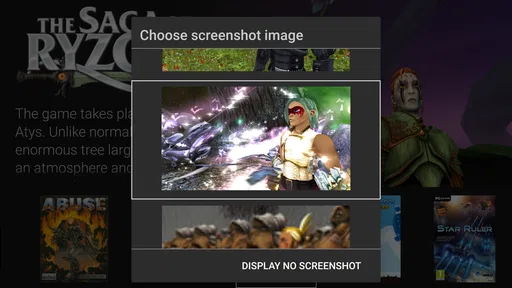
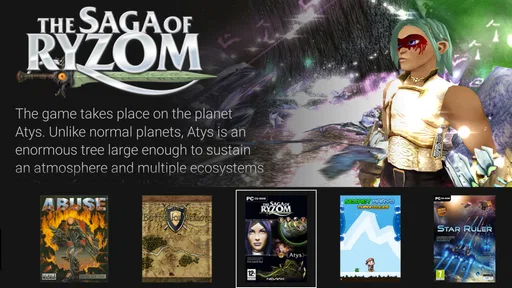
The strongest idea here is concentration. Instead of treating every title as an isolated file, the frontend gives your collection a central place to begin. I find that useful on a phone because browsing a scattered set of game files can feel more like maintenance than entertainment. A dedicated starting screen can turn that process into a simple habit: open the collection, choose what you want, and move on to play.
That workflow is especially appealing when I am deciding what to play during a short break. With a conventional emulator, I may need to remember which application handles a particular system, locate the right folder, and work through a file list that says little about the games themselves. A frontend reduces that mental effort. It makes the library feel like a selection of playable choices rather than a storage directory.
There is an important trade-off, though. RESET Collection is not a magic solution for an unprepared library. If your files are poorly organized or your emulator setup is incomplete, the frontend cannot remove every underlying complication. I would think of it as the front door to a retro setup, not the entire house. People expecting a complete catalog of included games or an instant arcade experience may find the concept less satisfying than the store category suggests.
Speed: what feels quick and what depends on the setup
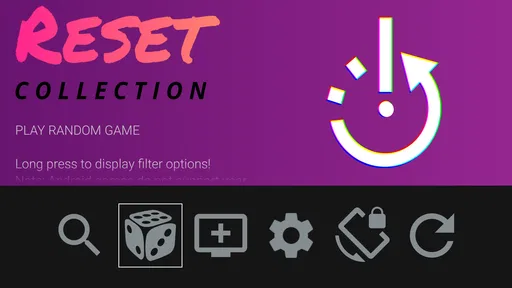
In normal use, the value of a frontend is perceived speed rather than raw benchmark performance. I care about how quickly I can move from opening the app to making a choice, and whether that route feels less repetitive than launching games individually. RESET Collection is well suited to that kind of quick decision-making because its purpose is narrow: start something from the collection instead of asking me to manage the whole process every time.
Worth Reading Before You Choose

Switching to Android Auto Means Rethinking Your Driving Routine

Google Calendar Makes a Crowded Week Easier to Manage

Baby Panda World Brings Quick Play to Modern Phones, but Its Game Library Feels Busy

ESPN’s Live Game View Makes Following Close Games Easier

QuizzLand Review: A Good Fit for Short Trivia Breaks, Not Every Player

Basketball Stars: Multiplayer Is Fast, but Can It Recover When Matches Go Wrong?
The actual time before a game becomes playable can vary with the emulator involved, the device, and the way the collection is stored. I would not promise identical results across phones. A recent device with a tidy library should feel more comfortable than an older phone carrying a large, disorganized collection. That is not a flaw unique to this app; it is the unavoidable cost of placing an extra frontend layer around emulation.
One useful habit is to treat the first setup as preparation rather than judging the app from a single rushed launch. I would organize the collection before a long trip or a busy weekend, then use the frontend for selection afterward. That separates library housekeeping from play time. It also makes it easier to notice whether the app is genuinely saving steps in your personal routine.
What happens during heavier use
The heavier moments are likely to come when the collection becomes large, when several systems are involved, or when I repeatedly leave one game and start another. A frontend has to remain understandable while the user is browsing more than a few familiar favorites. The practical test is whether I can still find a title without feeling that I am navigating a technical file manager.
For that reason, I would not judge the app only by opening one game and closing it. I would test a realistic session: browse several entries, launch a title, return to the collection, choose another, and repeat the process. That exposes the friction that matters in daily use. If your library is modest, the difference may be subtle. If you have accumulated many retro games, the value of a central launcher becomes much easier to recognize.
There is also a resource trade-off. Running an emulator and a game is naturally more demanding than merely browsing a collection. The frontend itself should be understood as the organizing layer, while the game session is where most of the device’s work is likely to happen. I would avoid blaming every slowdown on RESET Collection without checking the selected emulator, the game being launched, and the age of the phone.
Recovery after interruptions
Recovery is one of the most important parts of a mobile gaming workflow. A phone call, notification, battery warning, or accidental app switch can interrupt a session without warning. With a frontend, the useful question is how easily I can return to the collection and start again, not whether it eliminates every interruption.
My practical advice is to use it as the stable entry point for the library. If an emulator closes or I need to leave a game, returning to one recognizable collection screen is less confusing than remembering several separate launch routes. That consistency is a quiet advantage, especially for people who play in short sessions rather than sitting down for a long uninterrupted evening.
Still, recovery should not be confused with automatic restoration of a game state. The frontend’s role is to start entries from the collection; save behavior and resume behavior can depend on the emulator and the game involved. I would make a manual save before leaving a session whenever the game supports it. That small habit protects progress and avoids expecting the launcher to handle responsibilities that belong elsewhere in the setup.
Stability and the role of the developer
RESET Collection comes from Retro Lounge Lab, and the app has built a modest but meaningful audience. Its average rating is 4.1 from over eight hundred ratings, with more than two hundred written reviews. To me, that suggests a product that works well for a particular group while still leaving room for differences in device, library, and expectations. I would read the rating as encouraging rather than as proof that every setup will behave identically.
Stability in this kind of application is layered. The frontend needs to open and display the collection consistently, but the launched emulator and the selected game also affect the overall experience. When something goes wrong, I would troubleshoot in stages: first check whether the collection opens, then whether the selected entry is correctly associated, and finally whether the emulator can run that game. This avoids treating the entire chain as one mysterious failure.
That layered approach is one of the less obvious lessons of using a frontend. It can make the system easier to use while also making it harder to identify the source of a problem. A missing or unrecognized entry may be a library organization issue rather than an application crash. For a patient retro enthusiast, that is manageable. For someone who wants console-like simplicity, it may become tiring.
Device limits and practical expectations
The app supports Android devices running version 6.0 or later, which places it within reach of many older phones and tablets. That compatibility is useful, but it should not be mistaken for a guarantee that every game or emulator will perform equally well on every supported device. The operating-system requirement tells me whether installation is possible; it does not define the performance ceiling of the hardware.
On a device with limited storage, I would pay attention to the size and organization of the retro library rather than assuming the frontend itself is the main concern. On an older phone, I would also keep expectations realistic when moving between demanding emulation sessions and other open applications. Closing unnecessary apps before a longer play session is a sensible routine, particularly if the phone already struggles with multitasking.
Screen size changes the experience too. A phone is convenient for quick arcade sessions, while a tablet can make a large collection easier to browse. If you usually play with a physical controller, the frontend may still be useful as a launcher, but the comfort of the final session will depend on the rest of your setup. I would choose it for organization first, then decide whether the device is comfortable for extended play.
Why it can be better than separate emulator shortcuts
The usual alternative is to install individual emulator apps and open each one whenever you want to play. That approach can be perfectly adequate if you only use a few systems. It may even be better for someone who wants direct access to emulator settings and does not mind technical organization. RESET Collection becomes more attractive when the collection has outgrown that simple arrangement.
A second alternative is a generic file manager. It offers flexibility, but it presents games as files rather than as a curated personal library. I find that distinction important. A file manager is excellent for moving and inspecting content, yet it is not designed around the moment when I want to choose a game quickly. The frontend’s advantage is not necessarily more power; it is a more intentional path from library to launch.
There is a third group that should probably skip it: people who want a standalone arcade game with immediate content, simple controls, and no setup decisions. The store category may bring those users to it, but this is a different kind of product. Its success depends on whether you already have a retro collection and understand why a central launcher would improve it.
Small habits that make the experience smoother
I would begin with a small, well-organized portion of the library instead of importing everything at once. That makes it easier to see whether the frontend matches the way I think about my games. It also reduces the chance that a cluttered collection will make the first impression worse than necessary. Once the workflow feels natural, expanding the library becomes a controlled step rather than a confusing reset.
I would also keep a short list of favorite games elsewhere while testing the setup. This is not because the app is difficult, but because a personal shortlist helps reveal whether the frontend is improving real decisions. If I can open it and quickly choose one of those favorites, it is doing its job. If I still spend most of my time searching through folders or correcting associations, I would reconsider how the library is prepared before blaming the launcher.
Another useful trade-off is separation between browsing and configuration. I prefer to configure the emulator and collection when I have time, then leave the frontend as a play-focused entry point. Mixing technical adjustments into every gaming session removes much of the convenience. RESET Collection makes the most sense when it becomes a dependable routine rather than another settings screen I have to manage constantly.
Price, audience, and value
The app costs $4.99, so I would not recommend it automatically to every Android retro player. The price is easier to justify if you regularly use a sizable collection and expect the frontend to save repeated navigation. If you only play one or two titles, separate emulator shortcuts may already be enough, and paying for a central organizer may not change your day-to-day experience very much.
The Everyone content rating makes it suitable from an age-classification perspective, but the practical audience is still quite specific. Parents looking for a simple child-friendly arcade game should understand that this is a collection launcher rather than a ready-made game library. Retro enthusiasts, on the other hand, may appreciate having a dedicated place to begin their sessions without turning every play choice into a file-management task.
There are over ten thousand installs, which gives the app a real user base without making it feel like a mainstream gaming platform. I see that as consistent with its niche purpose. It appears aimed at people who care enough about retro gaming to organize their own collection, not at users who simply want the broadest possible selection with no preparation.
Version context and long-term expectations
The current version is 1.1.43, and the app was released on January 27, 2020. Those details place it in a more established stage than a brand-new experiment. For me, that makes the central question less about novelty and more about fit: does the existing workflow suit the way I store, browse, and launch retro games?
An established app can be reassuring because its basic purpose is clear, but I would still keep expectations focused. I would not choose it hoping that a frontend will transform an underpowered phone into a stronger emulation device. I would choose it because it can make an existing setup more approachable. That is a narrower promise, but it is also the promise most likely to matter in practice.
My performance verdict
After weighing speed, heavier browsing, recovery, and device limits, I see RESET Collection as a useful specialist tool rather than a universal arcade recommendation. Its perceived performance is strongest when the library is prepared, the device is not overloaded, and the user wants one consistent starting point. In that situation, it can remove small annoyances that accumulate every time I decide what to play.
Its limitations are equally clear. It does not erase the technical responsibilities of emulation, and it may feel unnecessary for a tiny collection. People who want instant content, minimal setup, or a conventional arcade game should look elsewhere. People who already maintain retro games and want a more deliberate way to browse them are the ones most likely to appreciate the purchase.
My recommendation is simple: buy it for organization, not for extra game content. I would use the trial period of my own setup, if available through the platform’s purchase rules, to test a realistic routine rather than a single launch. Prepare a manageable collection, open several entries, return after an interruption, and see whether the process feels calmer. If it does, the $4.99 cost can be reasonable for a frequently used front door to retro gaming. If it does not, a direct emulator arrangement may be faster and less complicated for you.
In the end, the app’s best quality is its focus. Retro Lounge Lab has built something for the moment before the game begins: choosing, organizing, and starting. I would recommend RESET Collection to an Android player who already has a personal retro library and wants that moment to feel less scattered. I would skip it only when the collection is very small, the device is already struggling, or the goal is a standalone arcade experience rather than a frontend for games you already own and manage.
Pros
- Clean
- minimalist interface makes browsing collections feel effortless.
- Offers a focused way to rediscover and organize saved content.
- Smooth navigation keeps the experience quick on most modern devices.
- Useful for users who enjoy curated
- visually appealing collections.
- Simple design avoids unnecessary features and distracting menus.
Cons
- The catalog may feel limited compared with larger collection platforms.
- Some content or features may require an account or additional setup.
- Search and filtering options may not be detailed enough for large libraries.
- Updates and newly added collections may not appear consistently.
- Users seeking extensive customization may find the app too basic.
FAQs for RESET Collection
What is RESET Collection?
RESET Collection is a mobile app focused on presenting a curated selection of digital content, products, or experiences through a clean browsing interface. Before downloading, users should check the current store description because the exact catalog, supported features, and available regions may change over time. The app’s usefulness depends largely on whether its collection matches your personal interests.
Is RESET Collection free to download and use?
The app may be available to download without an upfront charge, but users should review its Google Play or App Store listing for the latest information about subscriptions, in-app purchases, premium content, or optional paid features. Pricing and availability can vary by country. It is also worth checking the payment terms carefully before starting any trial or recurring membership.
Which devices are compatible with RESET Collection?
RESET Collection is designed for Android and/or iOS devices, depending on the version offered in your region. Compatibility can depend on your operating system version, available storage, and device capabilities. Before installing, compare your phone or tablet with the requirements shown on the official store page. Keeping the operating system updated may also help prevent crashes or missing features.
Does RESET Collection require an internet connection?
An internet connection is generally recommended because collection-based apps often need to load images, descriptions, updates, account information, or other online content. Some sections may remain accessible after they have been loaded, but complete offline functionality should not be assumed. Users with limited mobile data should preferably browse over Wi-Fi and check whether the app offers download or offline options.
Is RESET Collection safe to install?
The safest way to install RESET Collection is through the official Google Play Store or Apple App Store rather than an unofficial APK or third-party download site. Before granting permissions, review what information the app requests and read its privacy policy. Users should also check recent reviews, developer details, update history, and support information to make a more informed decision.


